
August 14, 2026 · e-papercustom-devicesdiy-electronicswirelesshmioperator-interface
When I work with different software on my computer, keyboard shortcuts save me a lot of time and effort. But typing the combinations is always painful. It requires good memory, and it takes time to push a few buttons at the same time.
Special keypads help here a lot. That is what they are for. But every keypad I used before had the same problem: I had to remember what each key was programmed for, what combination of buttons it sends, and what that combination actually does. Again, not exactly for me. I can remember three or four buttons, and that is it. :)
Why screens on the keys changed it for me
That is why I like the Logitech MX Creative Console. It has small screens built into each push button, and the picture on these screens is programmable. I set the icon and the text, and the key tells me exactly what it does. This finally made these keypads useful for me.
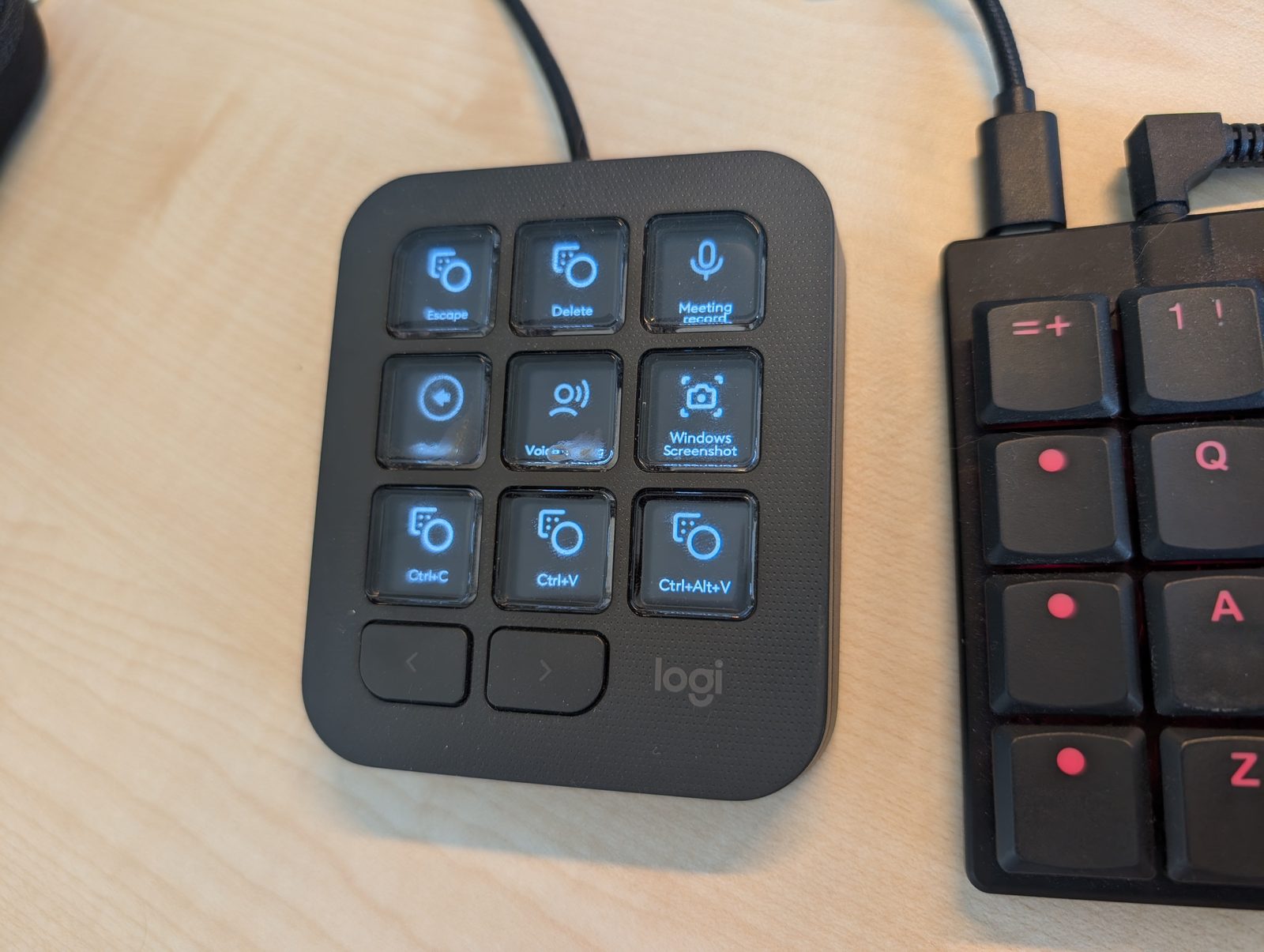
This is mine, set up the way I actually use it. Escape, Delete, a meeting recording key, a screenshot key, and the copy-paste combinations I use most. I do not have to remember any of them — the key says what it is. You can also see the cable in the top of the picture, which is where the first problem starts.
I am sure I am not the only one who works this way. From what I have seen, most people who set up a macro pad end up using three or four keys out of nine, because those are the ones they can remember. A label on the key removes that limit completely.
But there are one or two caveats.
The first thing that got in my way: the wire
Because those are bright LED or LCD screens, the device uses a lot of power. So it has to be wired. And I guess that is why there is not even a battery option — it is simply a wired device.
For me that is not just a cable lying on my desk. It is also awkward to use with more than one computer. I often have my laptop on the desk next to my workstation and I switch between them. Moving the panel across means moving the wire every time.
The second thing: my settings did not travel
Even when I do switch the cable from one computer to another, the configuration does not come with it. I spent an hour trying to export my settings from one computer and import them on the other, and I didn’t manage.
I want to be fair here: it is probably doable. It is doable for sure. But if I need to spend an hour figuring out how, then it is not doable for me. I am quite a technical person, and if I still need to put that much effort into it, that’s not good.
The idea
I am already doing another DIY project on the side — my e-paper HMI, which I am still working on slowly and have posted about a couple of times. So I thought: what if I build my own keypad using the ideas I like in the Logitech device, and fix the parts that get in my way?
Three design choices came out of that, and each one is aimed at a specific problem.
E-paper instead of LCD, for the power problem
E-paper does not consume any energy while the picture is static. It only draws power when the image changes. On a keypad, the labels sit still almost all the time — I am pressing keys, not redrawing them. So the display will be doing nothing, electrically, for most of the time I am using it.
That should make battery operation perfectly fine, which is exactly what the LCD version cannot do.
A nice!nano, for the wire and the multi-computer problem
For the controller I chose the nice!nano microcontroller board, which I already used in my Corne keyboard.
It gives me two advantages. First, it has wireless interfaces built in, so connecting over Bluetooth and switching between computers is easy. On my Corne keyboard I can easily switch between five computers in one click. Second, the firmware family used for these wireless split keyboards — ZMK — already exists and is open, so the plan is to start from that and adapt it to a custom keypad rather than write a keyboard stack from scratch.
Configuration on the device, for the settings problem
This is the part that fixes my second complaint, and it comes almost for free with the choice above.
On this kind of keyboard the configuration lives on the chip, on the device itself. It is not stored on the computer. So when I move my keypad from one machine to another, there is nothing to export and nothing to import. I connect it to the new laptop or the new PC and it produces the same key combinations. And a change I make once on the device works on all of my computers.
That is the behaviour I actually wanted from the beginning.
Where the build is right now
Honest status: all parts collected, breadboard started.
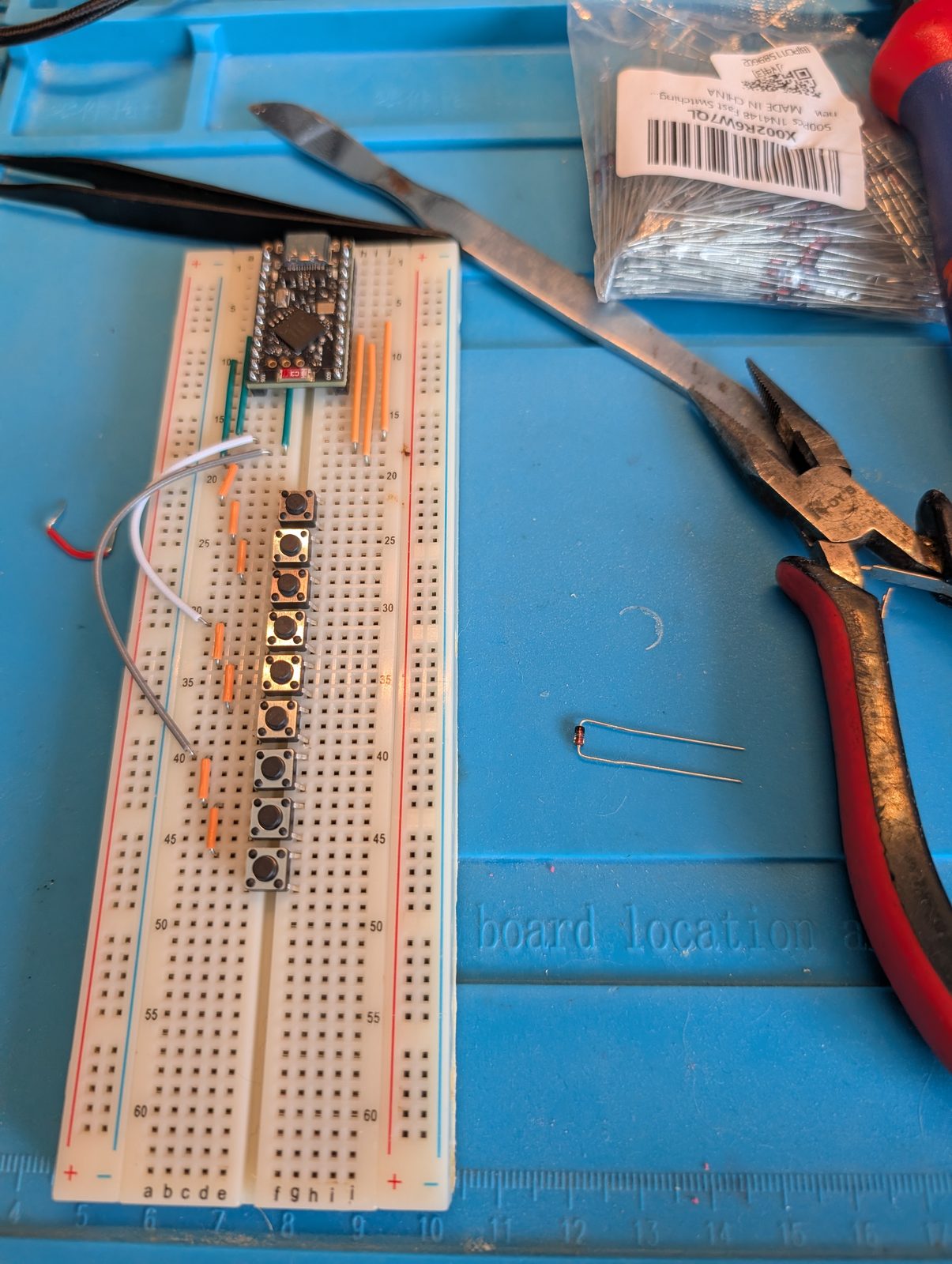
The switch side is coming together — a nice!nano at the top of the board and a row of tactile switches wired below it. The bag in the corner is 1N4148 diodes, one per key, so the matrix can tell which keys are pressed when several go down at once.
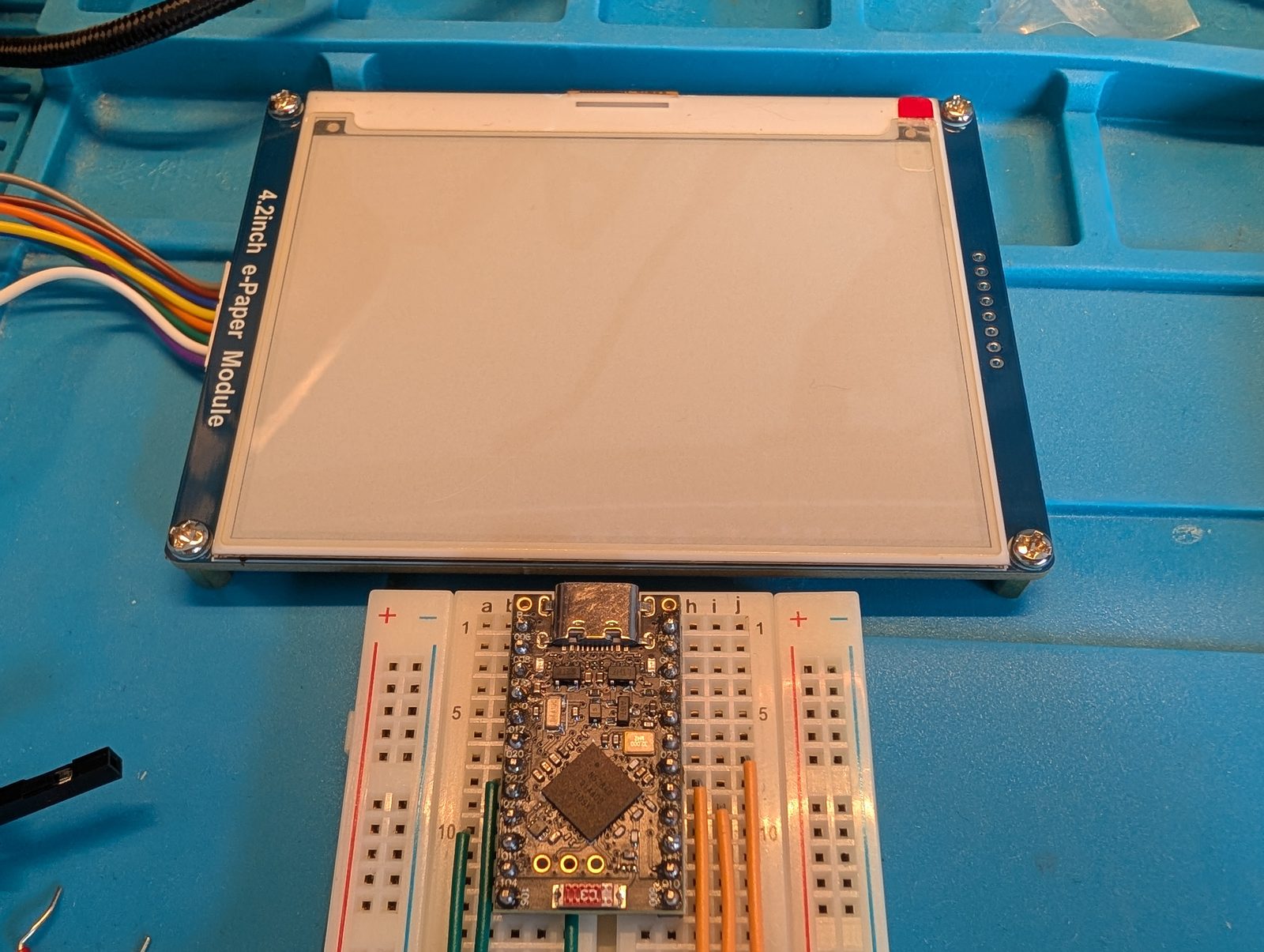
The display is a separate board for now.

I have not powered up the display yet. The only thing I powered is the controller, with preliminary firmware, just to check that it connects — and it does. My computer sees it in Bluetooth.
That is the whole state of the project. Nothing is driving the e-paper panel yet, there is no keymap, no enclosure, and the two halves are not talking to each other. The next real step is getting an image onto that display.
Why this is not only a hobby
I do this kind of thing for fun, but it is not far from the work. At Hawboldt Industries I used custom-made electronic screens for homemade belly packs — a very similar problem: a machine that needs an operator interface, and no off-the-shelf panel that fits it. Custom-built operator displays and purpose-built controls are real work I have done, not only a bench project.
The bench version is just where I get to try the ideas without a delivery date attached.
I like to play with electronic toys a lot.
Working on something similar?
I am Yuriy Mosiyenko — I design and program industrial control systems, mostly Siemens, as a one-person practice based in Bedford, Nova Scotia, working with customers across Canada. If you have a controls project you cannot staff internally, tell me what you are building.
